In order for our film to have a large audience, we must first interview a few members of our target audience, which will enable us as a production company to make our film successful.
After revealing the plot to the audience, we then asked them a series of questions in order to receive their opinions.
1. What is your opinion on the film's plot?
2. Do you believe the characters and storyline are realistic?
3. Could you relate to any of the characters?
4. What age range do you believe would be interested in watching this film?
5. Do you agree that this film should be a 12A?
(If not, please give your reason) ______________________
6. Do you feel that the film appropriately matches its genre?
7. Do you believe this film is aimed at a specific gender?
8. Where would you watch this film?
• The cinema
• At home
• Elsewhere
(please give details) _________________________
9. What other thriller films do you enjoy?
10. Which genre of thriller films do you enjoy the most?
• Fiction
• Mystery
• Crime
• Psychological
• Other
(If other please state) _________________________________
11. Which films do you believe are similar to ours?
12. Which type of music do you associate with thriller films?
Please give an example ___________________________
13. Do you believe the films narrative is appropriate for the certification?
14. Would you ever watch a short film?
15. Would you recommend this to a friend?

Tuesday, 5 October 2010

Saturday, 2 October 2010
Film Risk Assessment
In order for the film to be shot safetly, I carried out a risk assesment to ensure that all of the issues which could occur whist filming, are not a danger to the cast, crew, and director. Here is the risk assesment, please click to enlarge the picture; 

click to enlarge
Call Sheet - Filming Schedule
After discussing the days which we could film, I decided to create our call sheet through the medium of Google Calendar. The service is a convergence of the standard calendar and the Internet, to provide a service that is accessible from hundreds of devices and computers.
 (CLICK TO VIEW LARGE IMAGE)
This enables us to stay organised throughout the planning stage, as we can plan our meetings and filming schedule easily, to make sure that there are no clashes with personal arrangements.
Here are some screen shots of the planning of the call sheet; 

----------------------------------------------------------------------- 

------------------------------------------------------------------------
 (CLICK TO VIEW LARGE IMAGE)
Friday, 1 October 2010
Distribution Research
As our film is only a 5 minute short film it would not be distributed by a top name company such as Warner Bros or Summit Entertainment.


Dazzle are one of Britain's top short film labels, they are based in Hoxton London and are on of the main partners of the London Short Film Festival. They have quite a few shorts on the site http://www.bbc.co.uk/filmnetwork/organisations/dazzle, including 'A fitting tribute', 'Heather' and 'Mother'. I feel that these would be an appropriate distributor for our film although they don't distribute many Short films that are shown on television.
Film 4 , I feel would be a brilliant distributor for our film. They are a label for many different types of short films- both internet broadcast and TV. Their short films are available at http://www.film4.com/videos/film4-shorts, they have distributed short films including 'Hallo Panda' , Terra Firma' and 'Dogs Mercury'. I feel that Film 4 would be the best distributor for our film as they would enable us to be broadcast in showroom cinems and also on TV as Film4 have their own TV channel.
BBC would also be a really good distributor for our film, they too have their own TV channel and website which is dedicated to short films- this is http://www.bbc.co.uk/filmnetwork/organisations/bbc_films. BBC has distributed short films such as 'The Black Hole' , 'Alberts Speech' and 'This way up'.
Filming Schedule
We are now preparing to start filming, below is a basic filming schedule in order to help keep us on track:
-3rd October - Filming at Clare's House for the scene where Ruby returns home.
-12th October - College scenes in and around Barnsley College
-14th October - College scenes in and around Barnsley College, Continued
-15th October - Footpath Scene
-24th October - Bridge Scene
We are going to try and film everything within one month, this will therefore give us enough time to re-film and make any changes that may be required.
Location List
Location: Public Footpath and Bus Stop
Where is it: Barnsley College, Honeywell Site
When is it used:Act 1, Scene 1 , Scene 2, Scene 3

Location: College Entrance, Toilets and Corridors
Where is it: Honeywell Building, Barnsley College, Barnsley
When is it used: Act 1, Scene 4, Scene 5, Scene 6 Act 2, Scene 2

Location: Pond
Where is it: Wilthorpe, Barnsley
When is it used: Act 2, Scene 3

(Photos are just examples - not actual locations)
Where is it: Barnsley College, Honeywell Site
When is it used:Act 1, Scene 1 , Scene 2, Scene 3

Location: College Entrance, Toilets and Corridors
Where is it: Honeywell Building, Barnsley College, Barnsley
When is it used: Act 1, Scene 4, Scene 5, Scene 6 Act 2, Scene 2

Location: Pond
Where is it: Wilthorpe, Barnsley
When is it used: Act 2, Scene 3

(Photos are just examples - not actual locations)
Equipment Plan
As we will soon be filming our production I have made a plan of the equipment we are going to use:
FILMING

FILMING
Camera: SONY HDV 1000


The Sony HDV 1000 camera will be the most effective camera for us to use as it has an innovative design which makes it more mobile and proffessional. It is easily adaptable and can therefore be used in many different environments. Also the camera is simple and easy to use and will therefore make filming a lot quicker and efficient.
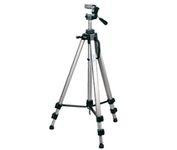
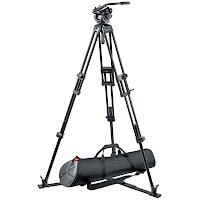
Tri-Pod: SONY HDV 1000 Tri-Pod


We will obviously be using the tri-pod that matches the camera. This tri-pod has a simple and easy design and is therefore extremely efficient to use. It is also very mobile as it can be folded down and carried, which means it can be easily transported to all of our filming locations.
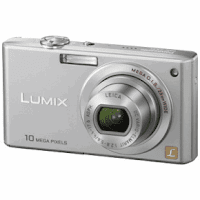
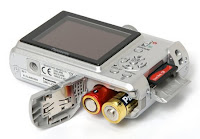
Camera: LUMIX 10 mpx Digital Camera


As we will require photographs of our costumes, props, locations and filiming we are going to use a digital camera to take these. The Lumix 10 mpx camera is very easy to use and the photos can be quickly transfered to computer via a USB cable. The camera has a wide range of effects including black and white, multishot and auto scene mode which may come in handy during our filming.
___________________________________________________________________
EDITING
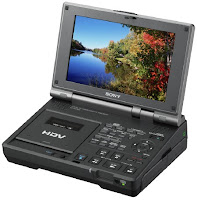
Editor: Sony HDV editor

We are going to use the Sony HDV editor in order to transfer our footage to MACs ready for editing, we can capture small chunks or all of our footage straight from these when they are connected by a firewire.
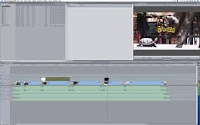
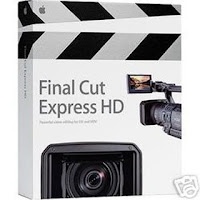
Computer/ Programme: MAC, Final Cut Express


MACs are extremely effective to use for editing our film, they have the programmes Final Cut Express installed which is an excellent programme for editing. It is very simple and easy to use and has a wide range of tools and effects that will help make our piece more proffessional.
_________________________________________________________________
RADIO TRAILER
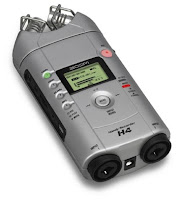
Recorder : Samson Portable Zoom Recorder

In order ro record the sound for our trailer, that is not included already in our film, we are going to use a portable zoom recorder. They can hold a large amount of sound and it can be transferred easily to a Mac.
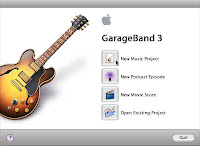
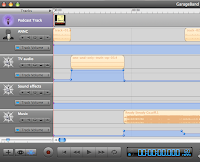
Programme (Editing) : Garage Band


Rather than using Final Cut express again as our editing programme, we are going to use Garage Band as it too is an easy and simple programme to use, and as a bonus it is more sounds orientated (rather than film). Therefore there will be more appropriate effects for us to use.
__________________________________________________________________
POSTER
Camera: See above
Programme: Photoshop
Photoshop is one of the best editing programmes available today and so we are going to use it to create our poster. We will use it to edit the photos we want to include and insert text to make our poster look more realistic.
Subscribe to:
Posts (Atom)